Features
Every feature, plainly listed.
All of it is in the free version. Pro removes the watermark and lifts the limits on presets and batch. Where a feature is on one platform only, it says so, and anything not shipped yet is marked.
Capture
Get pixels onto the screen of the editor, from wherever they are.
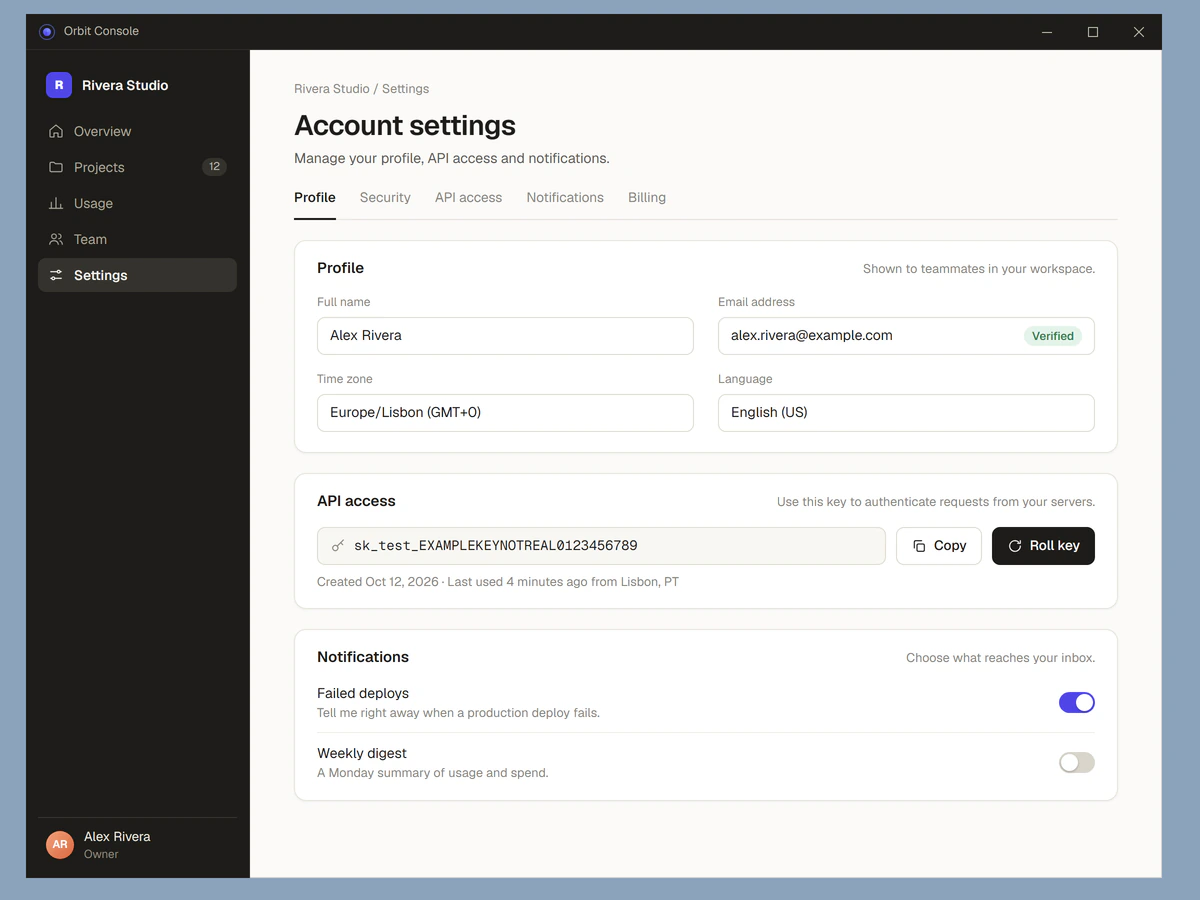
- Global shortcutWindows
One system-wide shortcut starts a capture from any app. The screen freezes and you drag a region.
You choose the keys. The settings screen tells you when another program already uses them.
- Window captureWindowsKeys:Space
Press Space while capturing to switch from region to window mode. Hover a window to outline it, click to capture it.
A window that is partly covered by another one still captures whole.
- Scrolling captureWindows
Pick a window and Polishot scrolls it, grabs frames and stitches them into one tall image. Fixed headers are handled.
It stops on Esc, at a height limit, or when the content stops changing. Browsers, File Explorer and editors work well. If an app ignores scrolling, Polishot says so instead of guessing.
- GIF captureWindows
Record a region at 15 frames per second for up to 15 seconds and save it as a GIF.
- Capture bubbleAndroid
A small floating button captures the screen from any app. It needs the display-over-other-apps permission, and the app explains why before it asks.
- Open from file, clipboard or drag and dropWindows
Open a PNG, JPEG, WebP or BMP, paste an image from the clipboard, or drop one onto the window.
- Pin to screenWindows
Keep a capture floating above every other window while you work. Resize it, change its opacity, and press Esc to close it.
Polish
The part that usually takes a design tool and five minutes.
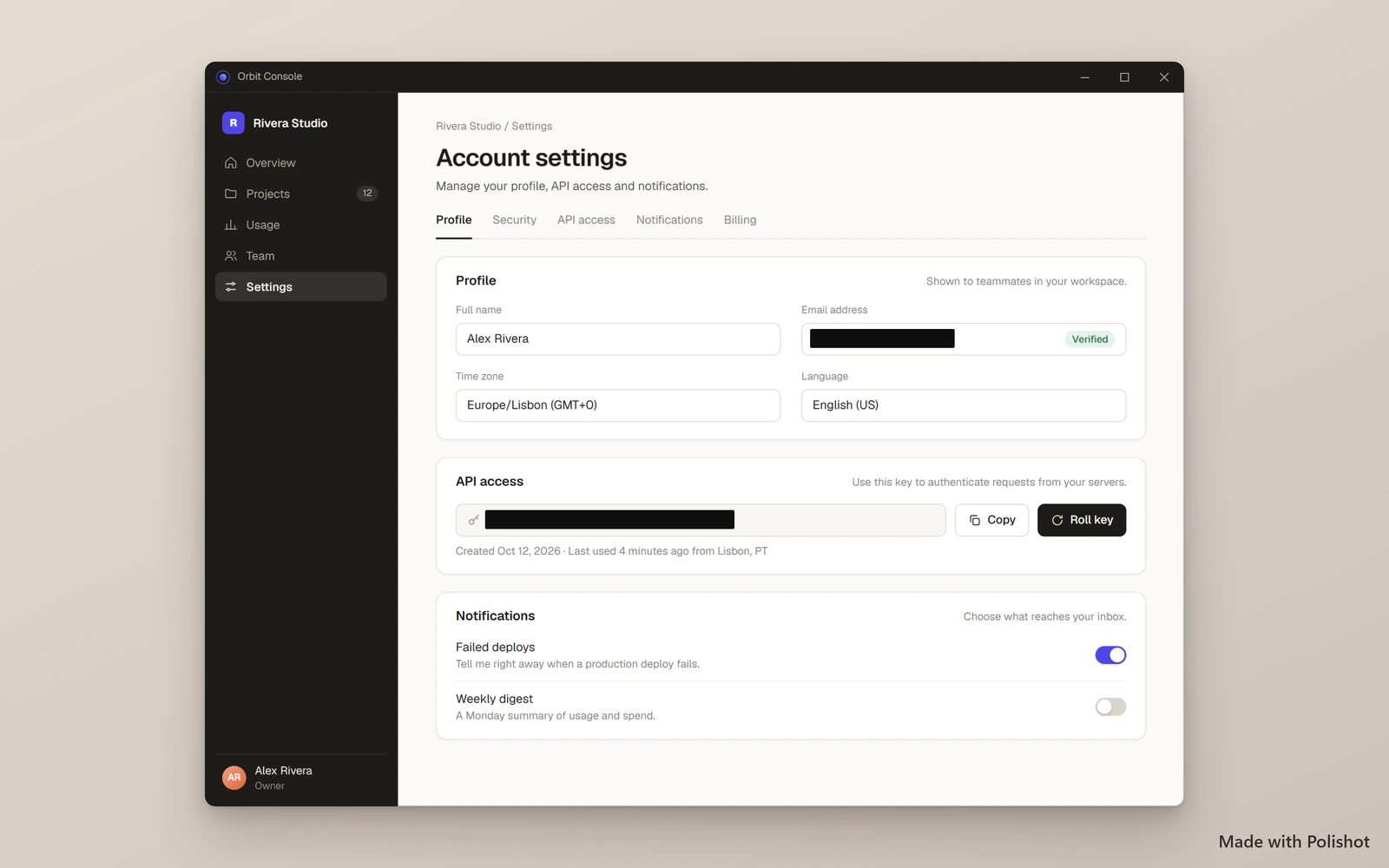
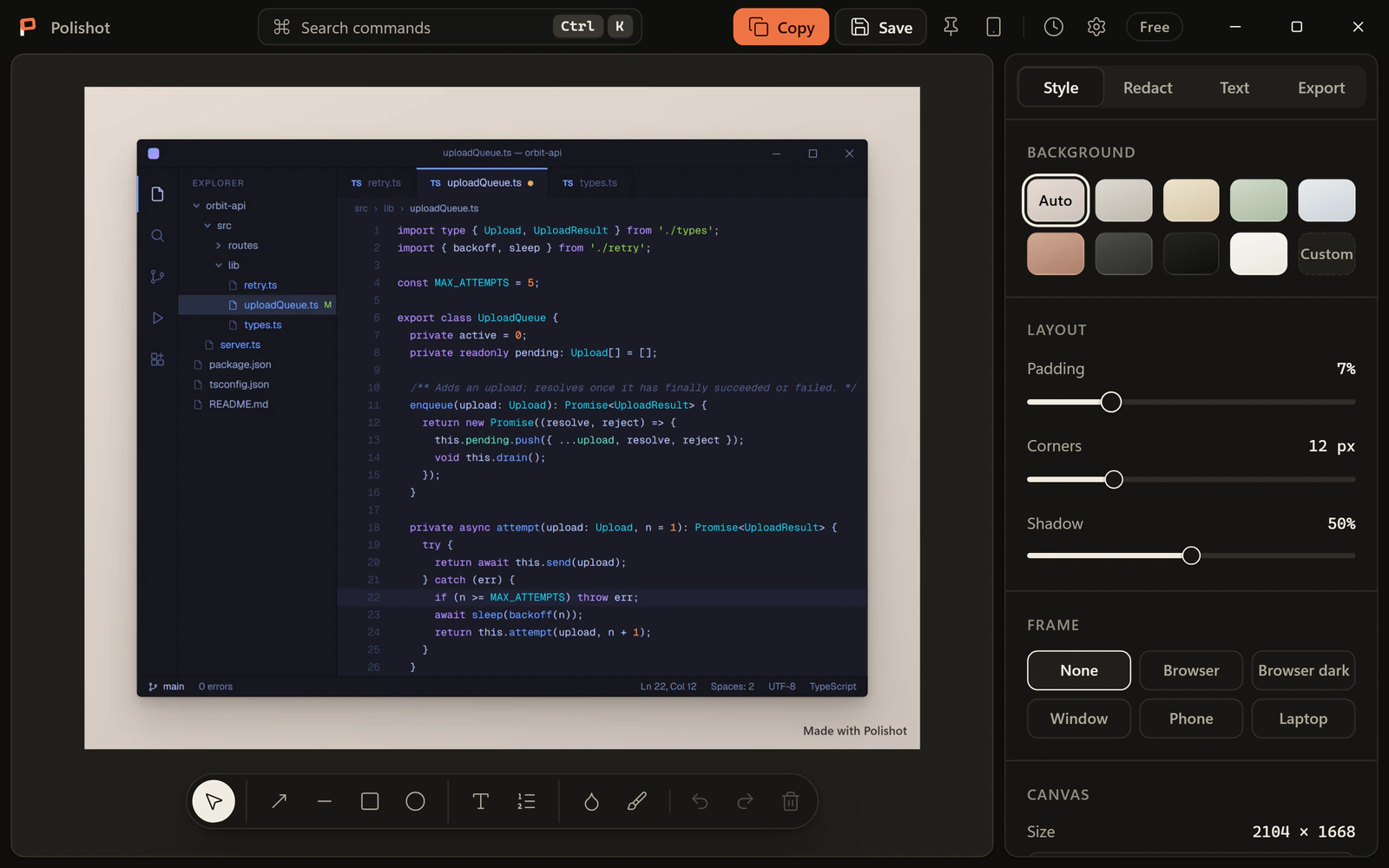
- Auto-balanceWindows and Android
Trims uniform borders around the content, then adds even padding in proportion to what is left.
- Auto backgroundWindows and Android
Samples the colours along the edge of your screenshot and builds a matching background, so the frame never clashes.
Prefer to choose? Use a solid colour, a gradient, or a blurred image.
- Mockup framesWindows and Android
Wrap the shot in a browser window (light or dark), a plain window, a phone or a laptop. The frames are simple drawn shapes, not photographs.
- Annotation toolsWindows and AndroidKeys:VARELTBNP
Arrow, line, rectangle, ellipse, text, numbered steps, blur, and a redaction brush. Every tool has a one-key shortcut, and undo and redo cover each change.
Protect
Cover what should not leave the screen, before it does.
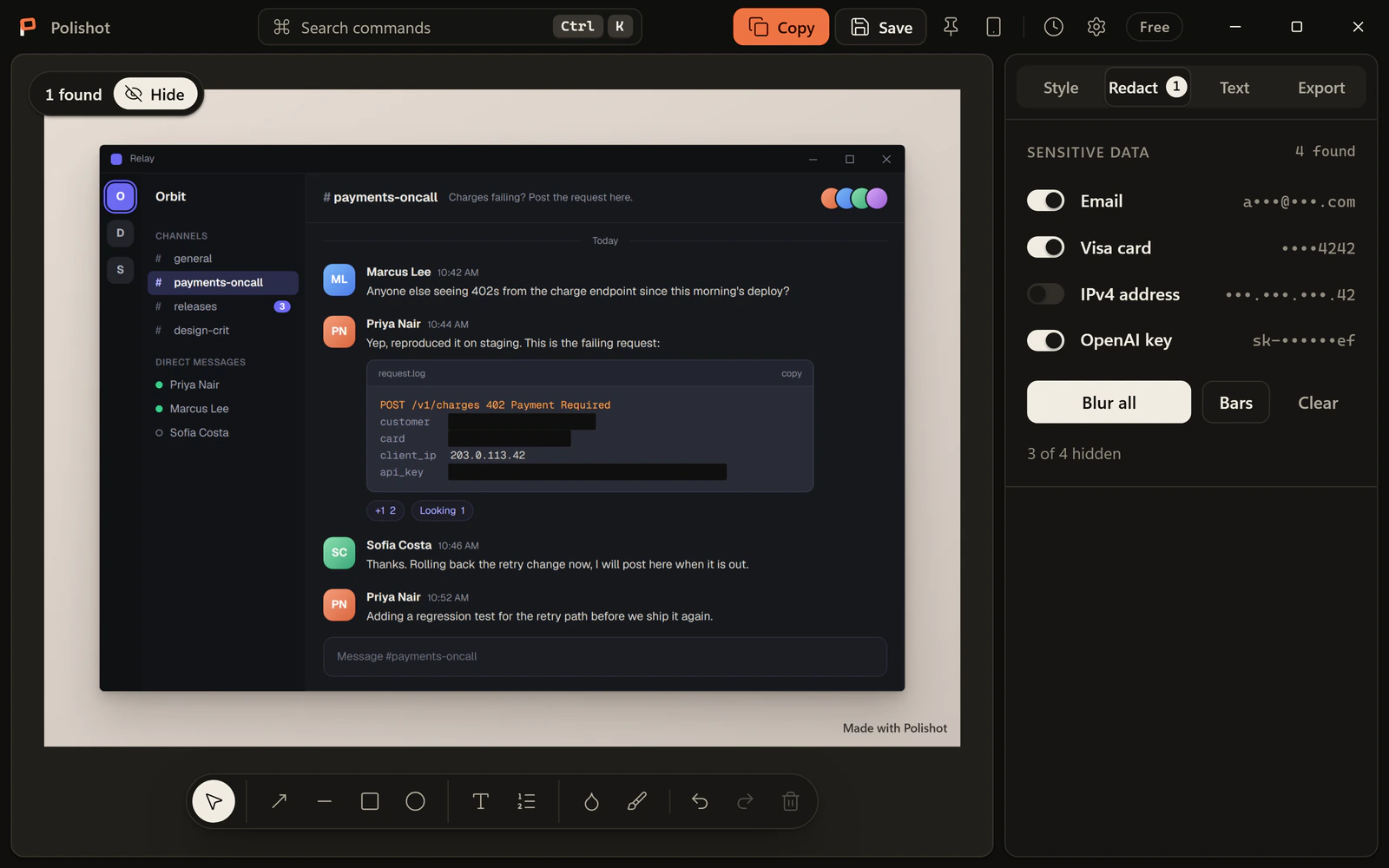
- Auto-redactWindows and Android
Finds email addresses, card numbers, IPv4 and IPv6 addresses, and API keys or tokens in the text of the screenshot.
Each find appears as a chip. Turn off any you want to keep, then cover the rest with blur or solid bars in one click.
- How it decidesWindows and Android
Card numbers must pass the Luhn check and match a known issuer prefix. Addresses are parsed, not guessed from a pattern.
Keys are matched by known prefixes such as sk-, ghp_, AKIA and xox, and by a high-entropy check for tokens it has not seen before.
- Check the resultWindows and Android
Automatic detection is a convenience, not a guarantee. It reads what text recognition reads, and recognition can miss or misread. Look at the image before you share it.
Text
The words in the picture are still words.
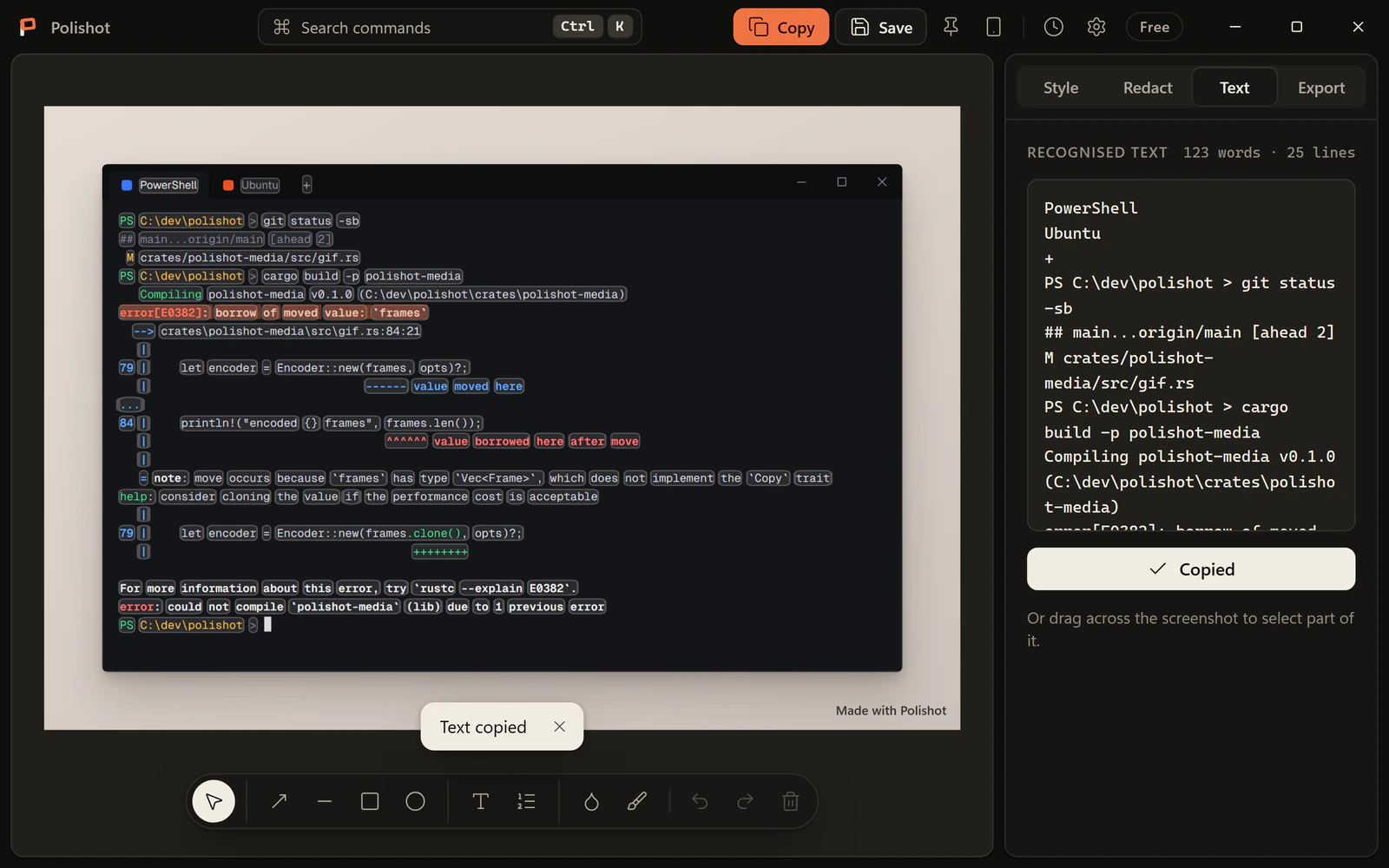
- Copy textWindows and AndroidKeys:Ctrl+C
Text recognition runs on your device. Drag across the words in a screenshot and copy them.
Windows uses its built-in OCR, which needs the language pack for your language. Android uses an on-device model that ships with the app.
- HistoryWindows and Android
Every capture is kept on your device, still editable, and searchable by the text inside it. Delete one capture or clear everything.
Share
Out of the editor, at the right size.
- Social presetsWindows and Android
X at 1600 by 900, LinkedIn at 1200 by 627, Instagram square at 1080 by 1080, Instagram story at 1080 by 1920, YouTube thumbnail at 1280 by 720, or a custom size.
Save your own looks as presets: 3 on Free, unlimited on Pro.
- Export formatsWindows and Android
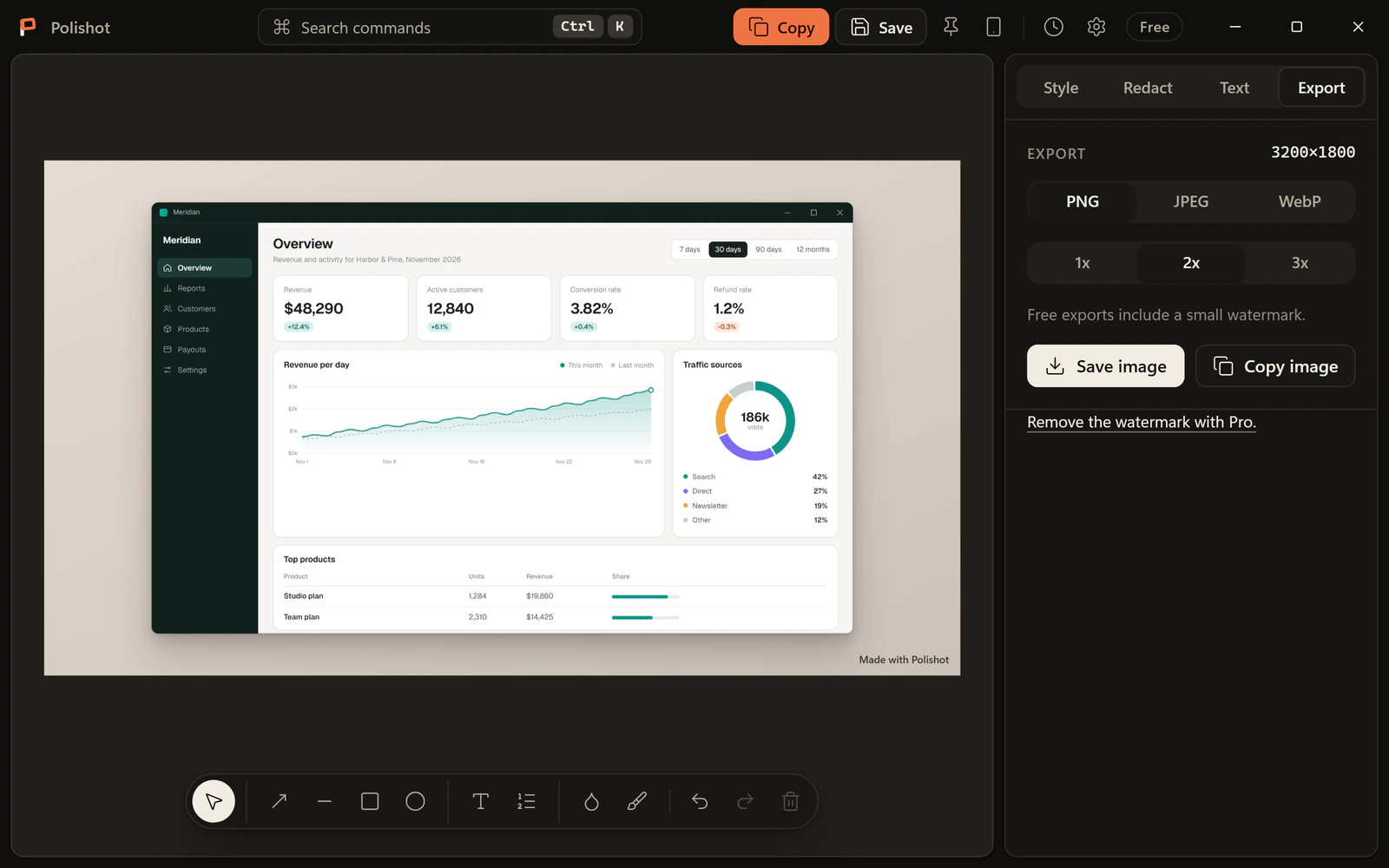
PNG, JPEG or WebP, at 1x, 2x or 3x, with a quality slider for the lossy formats. Save to a folder, copy the image to the clipboard, or hand it to the system share sheet.
- Quick sendWindows and Android
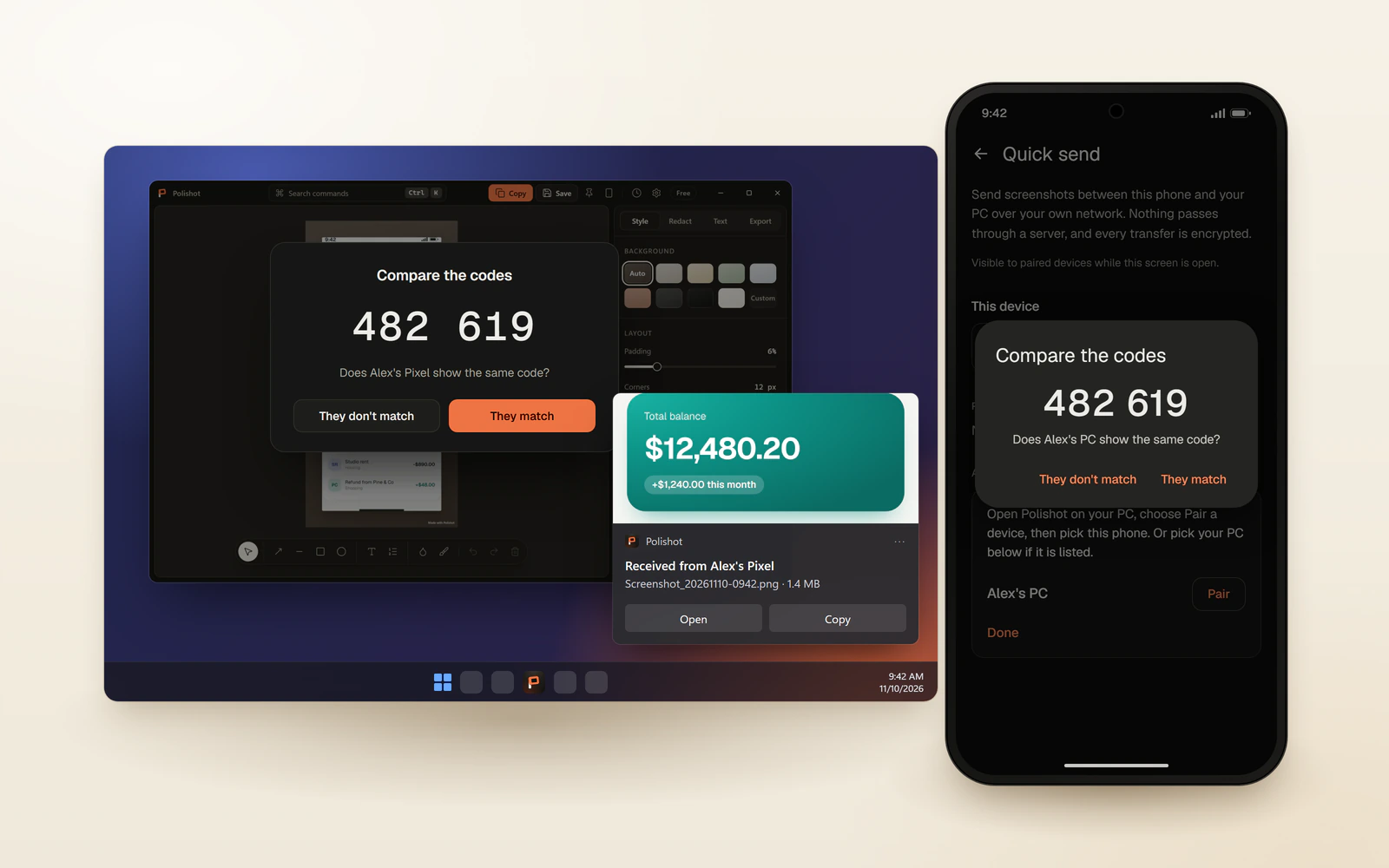
Take a screenshot on your phone and send it to your PC, or the other way round, over the local network. Pair once by confirming a six-digit code on both screens.
Transfers are encrypted with AES-256-GCM and go directly between the two devices. The receiving side accepts or declines each one. No account, no cloud. Windows may ask about its firewall the first time.
- BatchWindows
Pick a set of files and a preset. Polishot beautifies them all and writes the results to a folder.
Free handles up to 5 images per run. Pro has no limit.
Pro
One payment, once. Everything above is already in Free.
- No watermarkWindows and Android
Free exports carry a small "Made with Polishot" mark in the bottom-right corner. Pro removes it.
- Your own brand markWindows and Android
Put your logo or a line of text in that corner instead of ours. It is drawn on every export.
- No limitsWindows and Android
Unlimited saved presets (Free keeps 3) and unlimited batch beautify (Free handles 5 images per run).
- A year of updatesWindows and Android
Keep every version released within a year of purchase, forever. Versions released later run as Free and say so on screen. The last version your key covers stays Pro.
- Offline activationWindows and Android
A key is checked on your device against a public key built into the app. Activating it sends nothing anywhere, and works without a connection.